Part 1: Git Basics
Recording your work, and combining it with everyone else’s.
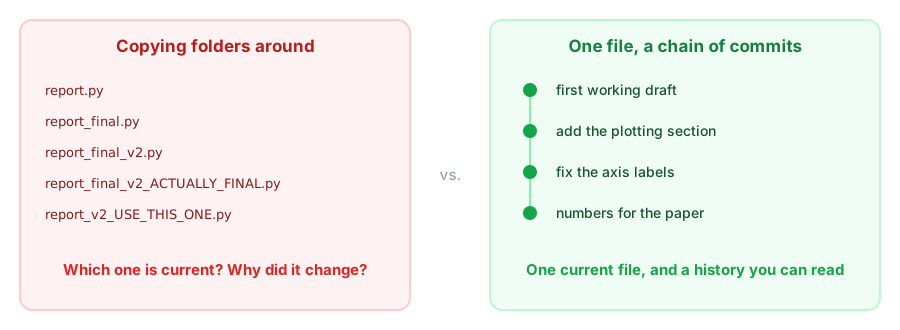
Why version control?
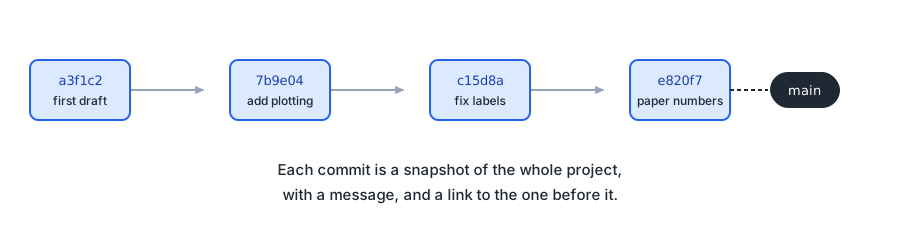
What git actually stores
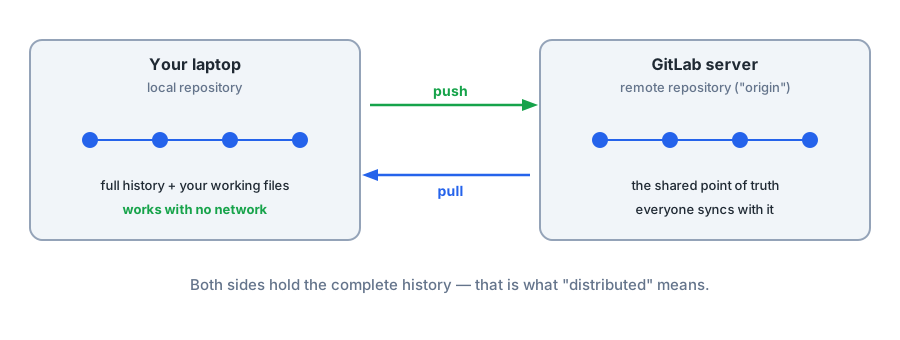
Two copies, one history
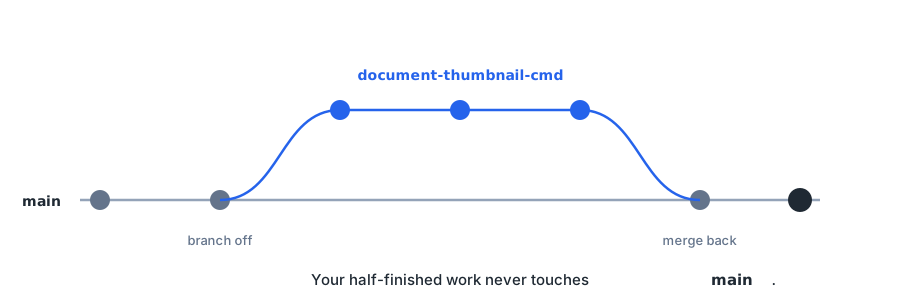
Branches keep work separate
The core workflow
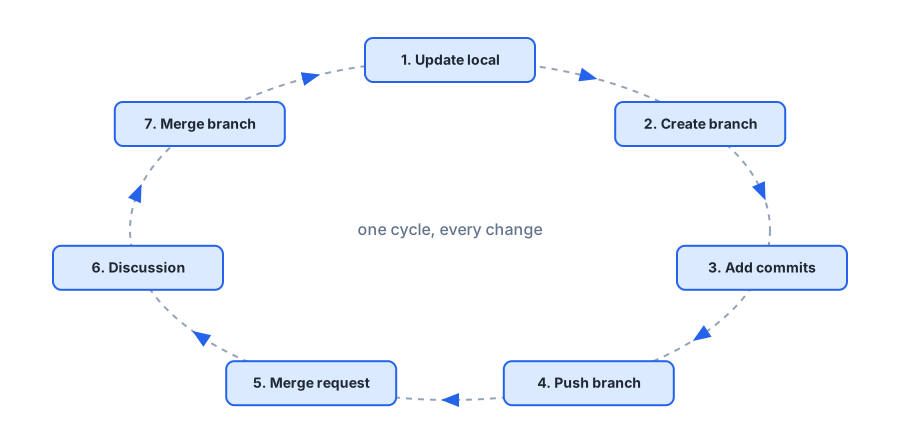
1. Update local

Start from what everyone else already has.
In PyCharm: branch indicator (bottom right) → main → Checkout, then Git → Pull.
2. Create a branch

Never work directly on main.
In PyCharm: branch indicator → New Branch → name it after the job,
e.g. document-thumbnail-cmd.
3. Add commits

Small and focused beats big and vague.
In PyCharm: new files prompt “should Git track this file?” → Add. Write the message in the commit dialog.
4. Push the branch

Your commits only exist on your laptop until you push.
In PyCharm: Git → Push.
5. Open a merge request

Ask for your branch to go into main — with a description of what and why.
6. Discussion

A second pair of eyes. Today, that pair is yours.
7. Merge

Your commits are now part of main. Everyone else gets them on their next update.
That’s the whole workflow
Over to you
Generate a practice package, put it on GitLab, and run the cycle for real — five times.